
Design by talking to AI
3D-Dream
The machine, the machining, or both: design and optimise by talking.
Describe the robot cell, plant or machine you need and the parts it must make. The AI assistant builds the 3D assembly with real kinematics, generates the machining with the integrated CAM and checks everything in the simulator. You decide, with one button.
Three ways, one virtuous circle
The machine, the machining, or both
Design the machine
A robot cell, a plant or a machine, with its real kinematics and the constraints you set.
Design the machining
Operations on your parts, generated with the integrated CAM and the assistant.
Both
The machine designed together with the machining it has to run: this is where the value is.
- 1Check collisions
- 2Optimise the machining
- 3Simulate cycle times
- 4Revise the machine
and round again, until the most efficient machine for those parts
Design the machine
The machine is drawn by talking
Component catalogue
A STEP assembly or separate STL, OBJ and 3MF parts, with the bill of materials. The 3D models stay on your PC.
Assembly with kinematics
The AI proposes components, joints, travels and mounts; the application builds the 3D assembly and checks it.
Designer's constraints
Axis names, travels, limit switches, speeds, control: from the prompt or a constraints list. Anything missing is estimated and flagged.
“Build the machine from these components: the bill of materials says what they are, the constraints give travels and speeds.”
Machine designer
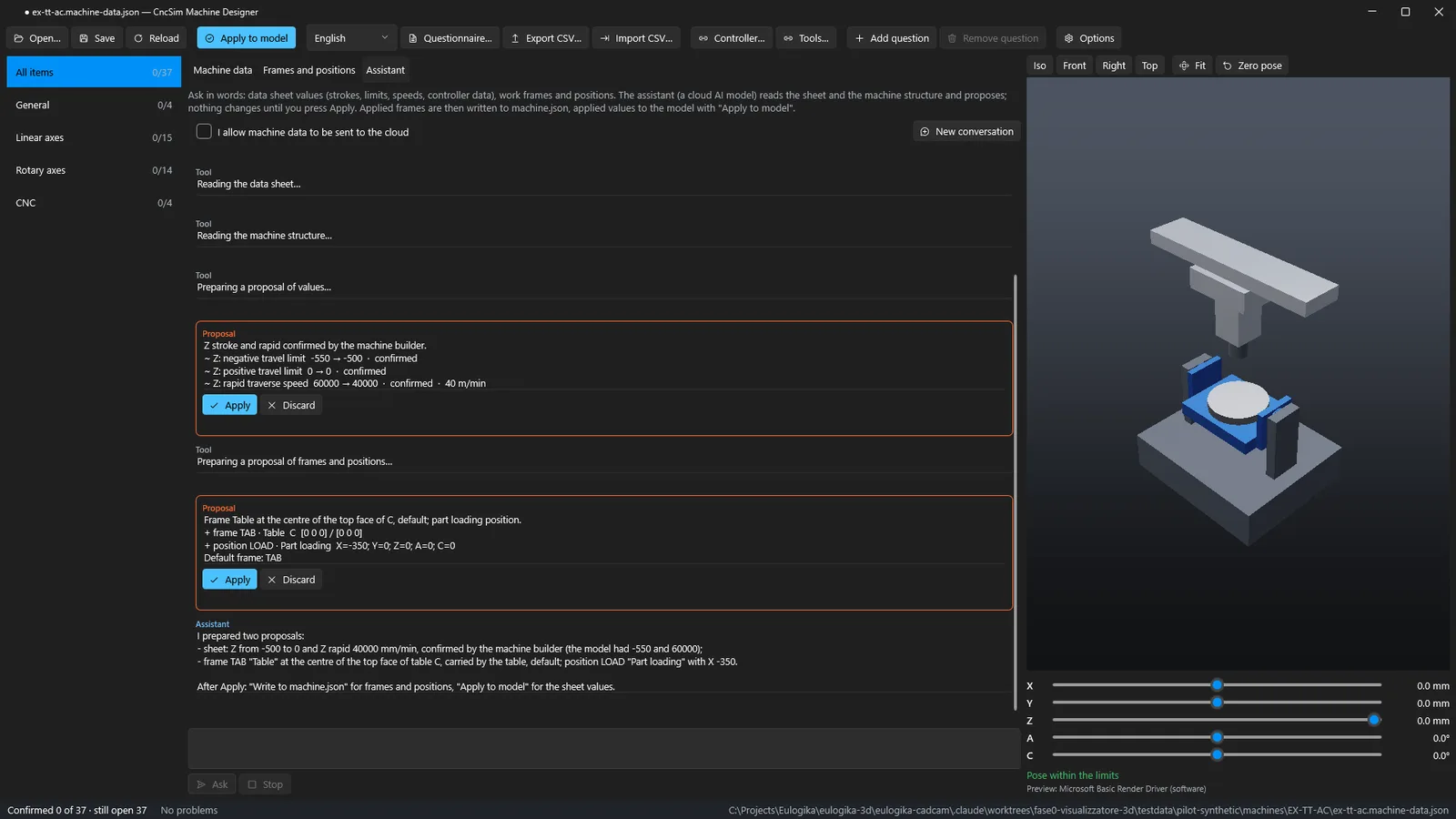
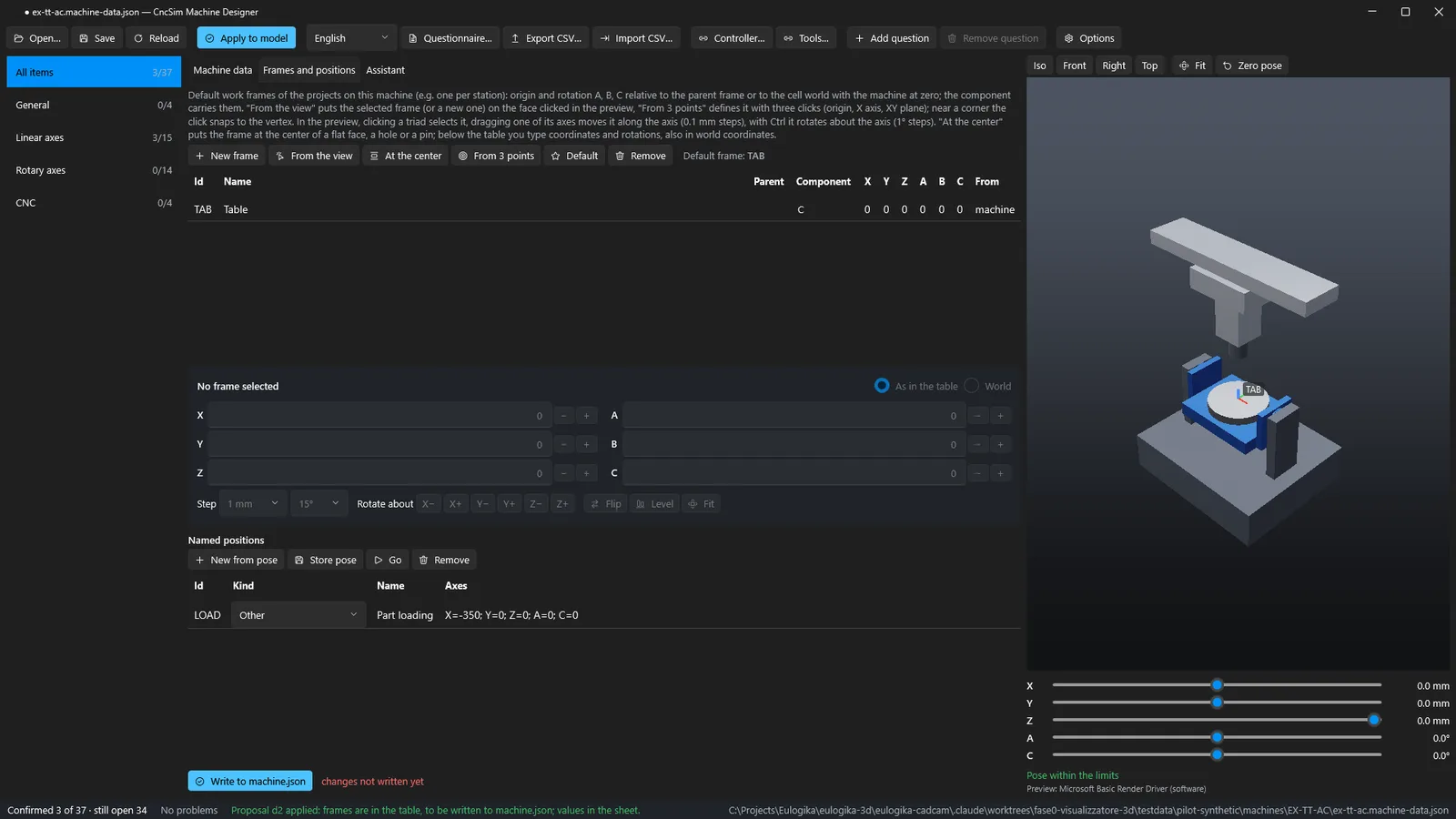
Values confirmed in words
- Ask: “The builder confirmed Z travel and rapid; add a base on the table and a load position”
- The assistant reads the data sheet and the machine structure, it does not guess them
- Two proposals: values marked as confirmed, base and load position
- Each proposal is shown in 3D before you apply it
Machining with the integrated CAM
The operator says what to do. The AI proposes. The simulator checks. The operator decides.
Request
In shop-floor words, with photos or drawings.
Proposal
Operations and parameters, already tried on the part.
Verification
Collisions, overtravel, gouges and cycle time in the simulator.
Decision
Apply, Discard, Undo: responsibility stays on the shop floor.
The AI never writes NC code: toolpaths, post-processors and kinematics are computed by the same tested core as the manual CAM.
Live test · CAM-01
A whole part from a three-line request
the whole conversation, three rounds
final cycle time, from 10.1
stock left, no collisions
From the test to production
3 minutes less per part
parts produced
of machine time freed
of production saved, 8-hour shift
Worked example on 5,000 parts; with two shifts about 16 days.
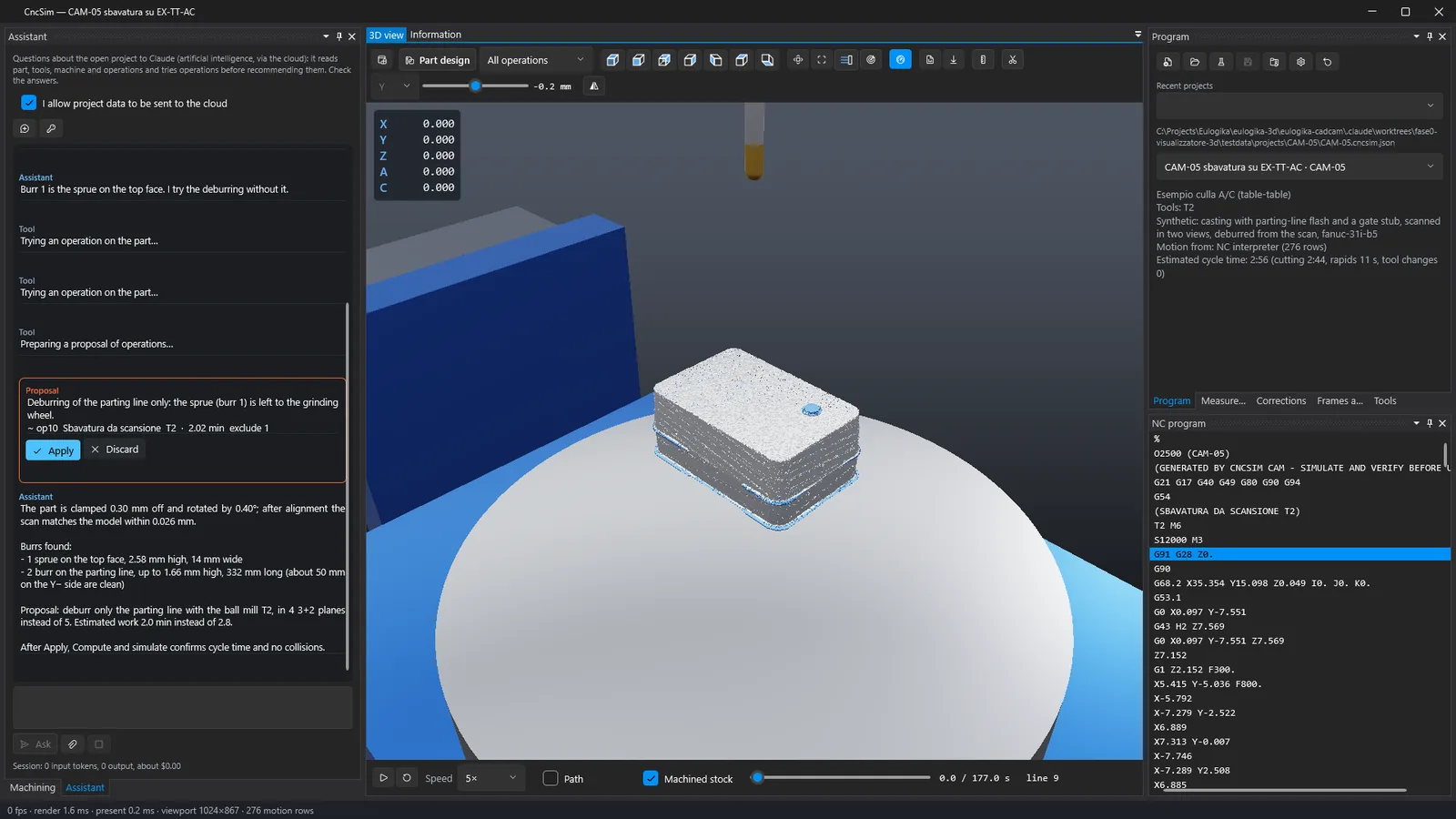
Deburring from a scan
“Which burrs does it have? The grinder removes the gate”
- Aligns the model on the scan: part clamped 0.30 mm off and 0.40° rotated
- Finds the burrs: parting line up to 1.66 mm high over 332 mm, gate stub 2.58 mm
- Leaves the gate to the grinder and proposes the deburring: 4 tilted planes instead of 5
- Simulated: 2.16 min instead of 2.95, no collisions or gouges
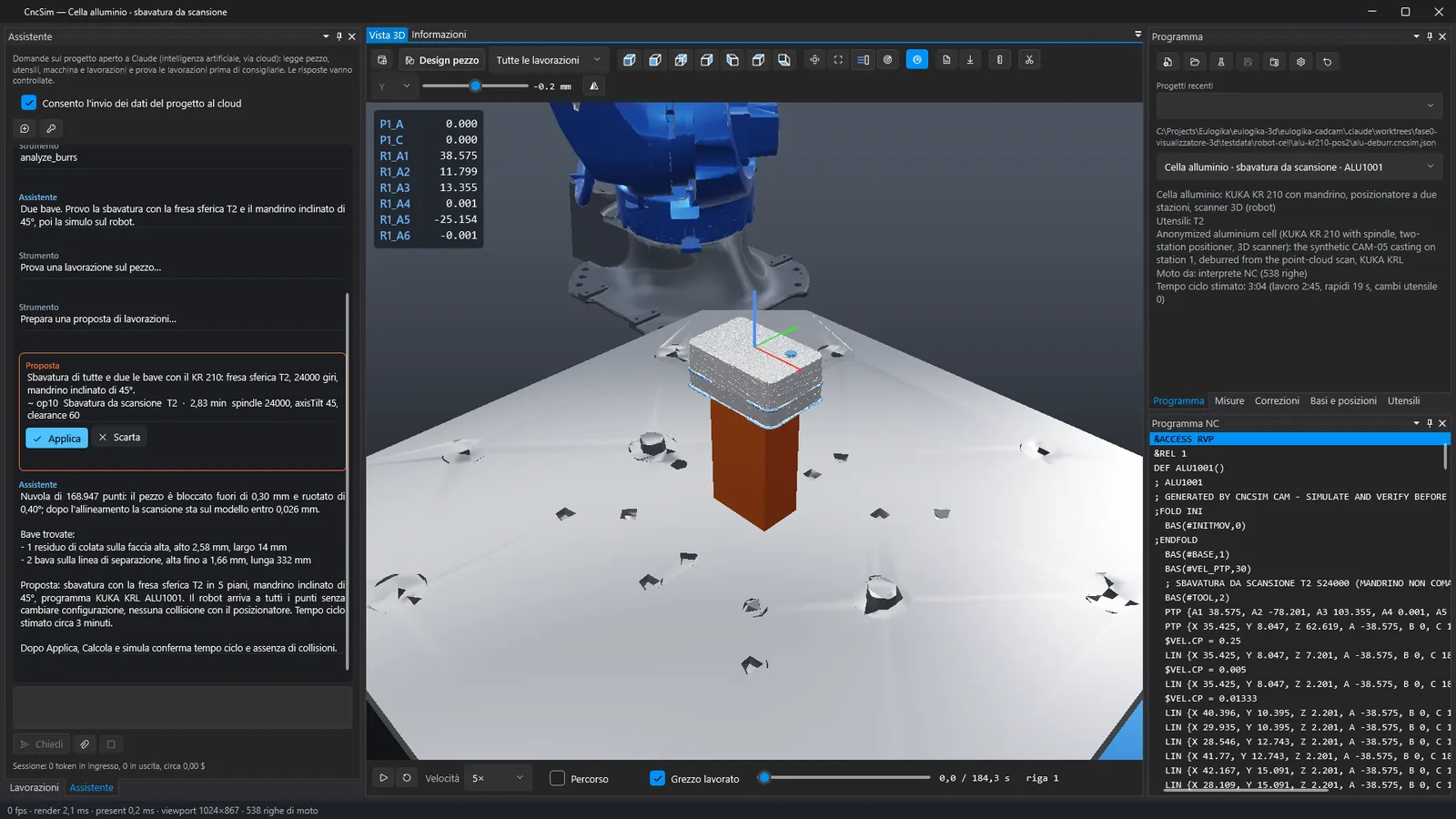
Same scan, a KUKA cell
The same casting is deburred by a KUKA KR 210 with a spindle and a two-station positioner: KRL program with the positioner as external axes, everything reachable, no collisions, about 3 minutes of cycle. Same machining, a different machine.
What we learned
Six rules for designing the conversation
1Read, don't remember
dimensions, holes and tools are asked to the tools every time
2Try before proposing
every operation is computed on the part before the operator sees it
3An error is data
results go back to the model with reasons and zones, and it corrects
4A person decides
Apply, Discard, Undo; the NC program is written only by Compute and simulate
5Shop-floor words
gouge, link move, allowance, burr; in the language of whoever writes
6Attachments are data
a drawing or a PDF gives no orders; changes always go through the operator
Confidentiality
Geometry and scans stay on your PC
Not sent
- 3D models of part, stock, fixtures and machine
- scan point clouds
- the builder's STEP assembly
- the full NC program and the API key
Sent to the cloud, with consent
- the question and the attachments the operator chooses
- figures computed on the PC: dimensions, holes, tools, axes
- burrs found: height, length, position
- verification results, only the NC lines involved
On request: anonymous, also hybrid
Customer, project and file names replaced by codes. Drawings and PDFs read locally with OCR: only anonymous instructions reach the cloud. Configured with each customer.
3D-Dream: Frequently Asked Questions
What is 3D-Dream?+
3D-Dream is Eulogika's software for designing machines and their machining by talking to an AI assistant. It brings together the machine designer, the integrated CAM and the CncSim simulator: the AI proposes, the simulator verifies, a person decides.
Can I design a whole machine or robot cell?+
Yes. You attach the components (a STEP assembly or STL, OBJ, 3MF parts) with the bill of materials and the constraints list; the assistant proposes the kinematic chain and the application builds and checks the 3D assembly. Values you do not give are estimated and flagged, to be confirmed with the builder.
Does the AI write the NC programs?+
No. The AI chooses operations and parameters; toolpaths, post-processors and kinematics are computed by the 3D-Dream core, and every proposal is simulated before the operator sees it. The NC program is written only by the normal Compute and simulate.
Which data leaves the company?+
3D models, scans, STEP assemblies and full NC programs stay on the PC. Only with explicit consent, the conversation goes to the AI model: questions, chosen attachments and text summaries computed locally. Anonymous and hybrid modes with local OCR are available on request.
How much does a request cost?+
In the live tests, from 5 euro cents for a question to about 65 cents for a machine model from a STEP assembly. The panel shows the consumption of every session.
Try it
Bring us a part and a question
A model, a scan, a program or your machine's data sheet: we ask the assistant together and watch the simulator answer.